Access your Makaton DLK offline
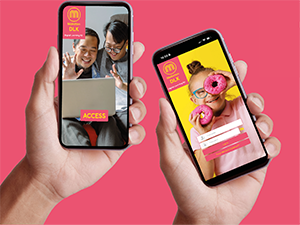 Want to access your Digital Learning Kit even when you don’t have an internet connection?
No problem! We’ve created the Makaton DLK App to help you access your Makaton Digital Learning Kits (DLKs) anytime, anywhere.
The app allows you to store and download your DLKs directly to your device, so you can keep learning even when you’re offline.
Not familiar with the DLK? Find out more about our Digital Learning Kits
Before you download
To use the Makaton DLK App, you’ll need to have already redeemed your Digital Learning Kit online.
Once your DLK is in your account, you’ll be able to access and download it in the app.
Quick Start Guide
Getting started is simple:
-
Download the App
Search for Makaton DLK in the App Store or Google Play Store. Install it on your device.

-
Set Your Password
When opening the Makaton DLK App for the first time, ensure you select the “First Time Login” button after the access screen. Enter your email address and create a new password. You will receive an email to verify this from [email protected] — check your junk mail if you do not receive this. Once verified, you’ll be able to log in.
-
Access Your DLKs
Once logged in, you’ll be able to view and download your Digital Learning Kits so they’re available offline whenever you need them.
-
Change of Email
If you change your email address whilst using the DLK App, you’ll need to open your DLK via the website before the new email address is valid in your app: you can do that here.
Learn Anytime, Anywhere
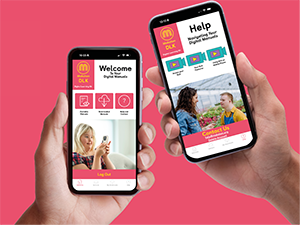 With the Makaton DLK App, you can:
- Download your Digital Learning Kits for offline use
- Access your DLKs whenever you need them
- Continue learning even without an internet connection
The app is designed specifically to view your
Digital Learning Kits, giving you a simple and convenient way to access your materials on the go.